Understanding the Basics of TV Mounting
What is TV Mounting?
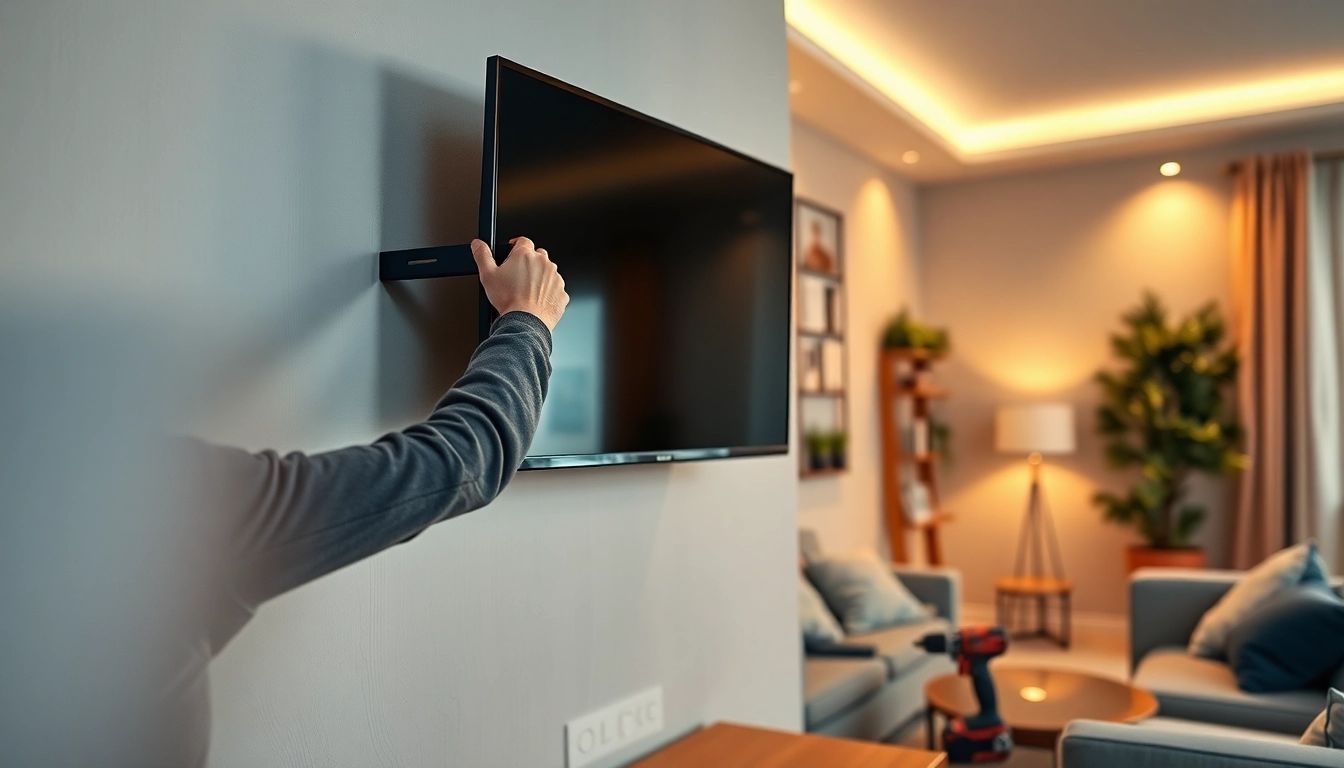
TV mounting refers to the process of securely attaching a television to a wall using a bracket. This method not only saves space but also enhances the viewing experience by providing an elevated perspective. The mounting process ensures that the television is positioned correctly for optimal viewing angles, creating a sleek appearance that fits seamlessly within your home decor. A well-executed tv mounting project can transform your living space from cluttered and disorganized to modern and polished.
Types of TV Mounts
When it comes to choosing a TV mount, various types cater to different needs and preferences:
- Fixed Mounts: These are the simplest type of mount, which holds the TV flat against the wall. They are ideal for viewers who always watch from the same seating position.
- Tilting Mounts: These mounts allow for a slight tilt downward, which is helpful for reducing glare from windows and overhead lights.
- Full-Motion Mounts: Also known as articulating mounts, these offer the most flexibility, allowing users to pull the TV away from the wall and adjust it to different viewing angles.
- Ceiling Mounts: For unique spaces where wall mounting is impractical, ceiling mounts can provide a stylish solution, especially for larger screens or when dealing with limited wall space.
- Corner Mounts: Specifically designed for corner placements, these mounts maximize space and provide a unique viewing experience.
Benefits of TV Mounting
Mounting your TV has several advantages that contribute to improved aesthetics, safety, and convenience:
- Space Saving: Mounting a TV frees up valuable floor space, allowing for better room layout and usage.
- Improved Viewing Experience: Elevating the TV to eye level improves comfort and reduces neck strain during viewing.
- Safety: Wall mounting can minimize the risk of accidents with small children or pets knocking over the TV.
- Enhanced Aesthetics: A mounted TV creates a streamlined look, negating the need for bulky TV stands.
- Flexibility: Depending on the mount type, users can adjust the angle of the TV, accommodating various viewing situations.
Preparing for Your TV Mounting Project
Choosing the Right Location
The location of your TV mount is critical to your viewing experience. Consider factors like:
- Seating Arrangement: Assess the distance between the seating area and the mount's location to ensure comfortable viewing.
- Room Lighting: Avoid mounting the TV opposite large windows to limit glare.
- Wall Space: Ensure there is enough wall space for the type of mount you intend to use and check for proximity to power outlets.
- Height Considerations: A standard recommendation is to mount the TV so the center of the screen is at eye level when seated.
Assessing Wall Types and Strength
It is essential to know what type of wall you will be mounting your TV on to choose appropriate installation methods:
- Drywall: Most common in homes; always locate and secure the mount to wall studs for the best support.
- Concrete or Brick: Requires special anchors and tools for mounting, ensuring that the television is secure.
- Plaster: Similar to drywall but may require less force when drilling; be cautious of overshooting into the wall surface.
Gathering Your Tools and Materials
Before starting the installation, gathering the necessary tools and materials will streamline the process:
- Tools: You will typically need a power drill, a stud finder, a level, a tape measure, screwdrivers, and a pencil for marking.
- Mounting Kit: Ensure you have a compatible TV mounting bracket, screws, and anchors specified for your wall type.
- Cables: Consider HDMI, power cords, and any other connections required for your TV.
- Wall Panel or Railing: If dealing with cable management, consider a wall panel for a clean finish.
Step-by-Step Process for TV Mounting
Measuring and Marking the Installation Spot
The first step in the actual mounting process is to accurately measure and mark where the TV will be installed:
- Measure the Height: Utilize a tape measure to determine the optimal height for your TV based on your seating arrangement.
- Locate the Center: Find the center point of your wall space and mark it with a pencil.
- Mark Bracket Locations: Use the mounting bracket as a template, marking the drill points on the wall where screws will go.
Securing the Mounting Bracket
Once you’ve marked the positions, it’s time to secure the mounting bracket:
- Drill the Holes: Use your drill to create holes at the marked points, ensuring these are aligned with the wall studs.
- Insert Anchors: If mounting on drywall, insert wall anchors to reinforce the installation points.
- Attach the Bracket: Secure the mounting bracket to the wall, ensuring it is level before tightening the screws fully.
Mounting and Connecting the TV
The final step is to actually mount the TV:
- Secure TV to Bracket: With assistance if needed, lift the TV and align it with the mounting bracket, making sure it clicks into place securely.
- Connect Cables: Connect all required cables, including power and HDMI, ensuring hidden cables achieve a clean look.
- Test Functionality: Power on the TV and test controls to ensure everything works as expected, making adjustments as needed.
Advanced Tips and Tricks for Perfect TV Mounting
Hiding Cables and Wires
Visible cables can detract from the aesthetic appeal of a mounted TV. Here are some ideas to keep them out of sight:
- Cable Management Kits: Consider purchasing kits designed for cable management that include raceways to conceal wiring.
- Use Wall Plates: Wall plates allow for a clean entrance for cables, creating a seamless look.
- Behind the Wall: If comfortable, you can also run cables behind the wall itself using in-wall rated cables to maintain aesthetics.
Adjusting Angle and Height for Optimal Viewing
Setting the TV at the correct angle and height is vital for an enjoyable viewing experience. Remember these adjustments:
- Tilting Mounts: Utilize tilting features to adjust for glare based on sun exposure and room lighting.
- Swivel Adjustment: If using a full-motion mount, adjust the TV's angle to face different seating areas in the room as necessary.
Common Mistakes to Avoid During TV Mounting
To ensure a successful installation, be aware of these common pitfalls:
- Ignoring Weight Limits: Each mount has a maximum weight capacity; ensure your TV is supported adequately.
- Misaligning the Mount: Use a level during installation to ensure that the mount is straight; crooked mounts can cause strain on the bracket.
- Overtightening Screws: Tightly securing screws is important, but overshooting can damage the mount or wall.
FAQs about TV Mounting
How high should I mount my TV?
The ideal height is at eye level when seated, generally 42-60 inches from the floor for a comfortable viewing experience.
Can I mount a TV on drywall?
Yes, mounting on drywall is possible but ensure to use appropriate anchors or brackets secured to wall studs for safety.
What tools do I need for TV mounting?
You typically need tools such as a drill, level, stud finder, screwdrivers, and appropriate mounting brackets or kits for installation.
Is it safe to mount a TV on a glass wall?
Mounting TVs on glass is not recommended as it can compromise safety. Alternative wall types should be utilized for mounting.
How do I adjust my mounted TV?
Most mounting brackets allow for tilt or swivel adjustments; refer to manufacturer instructions for specifics on your model to ensure proper adjustments.